


Opens in a new tab. Your article title and link are shared only with the AI assistant you choose.
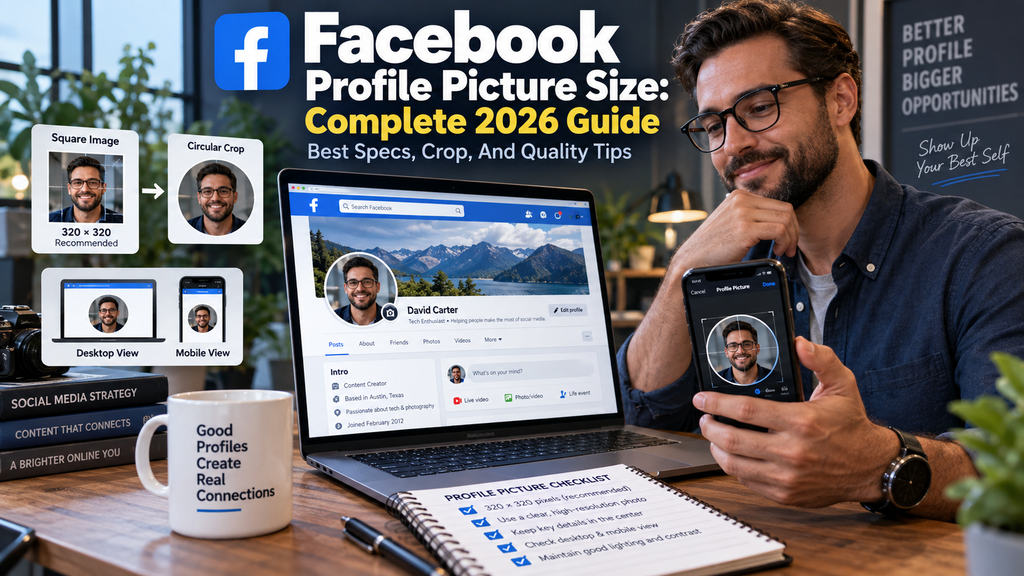
Facebook profile picture size matters because one image has to look sharp on your profile, beside posts, in comments, in search, and on phones. The safest approach in 2026 is to upload a square image at 320 × 320 pixels or larger, keep the subject centered for the circular crop, and use a higher-resolution master when you want extra editing room.
Different guides quote 320 × 320, 360 × 360, 720 × 720, or even 1080 × 1080 pixels. Those numbers often describe different things, including a suggested upload size, a third-party recommendation, a high-resolution working canvas, or the final display size. Read for more information on this topic.
What Facebook Profile Picture Size Should You Use?
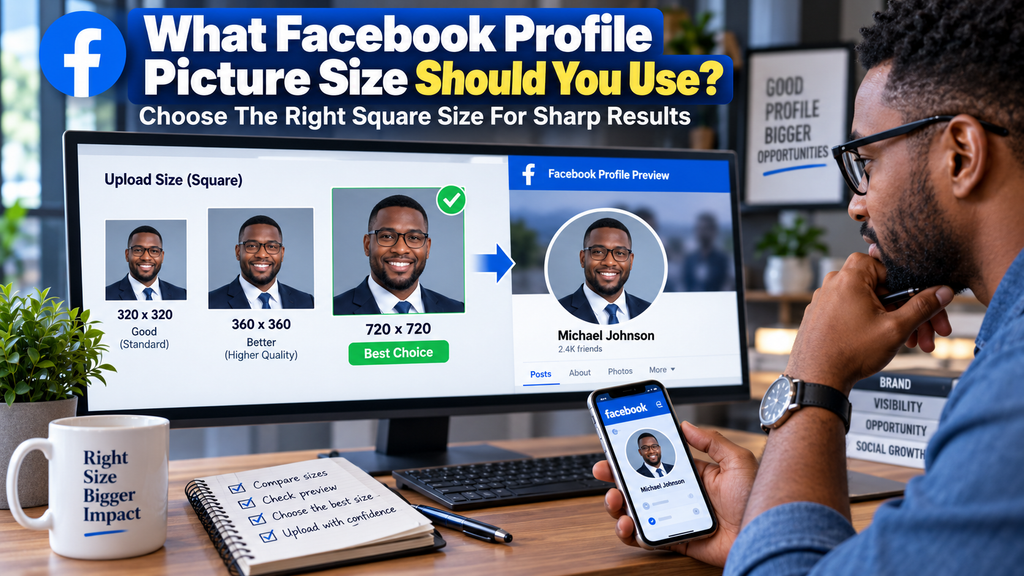
For most people, 320 × 320 pixels is a sensible current target because Hootsuite’s September 2026 guide recommends that upload size. Facebook then displays the image at about 176 × 176 pixels on desktop and 196 × 196 pixels on smartphones, so your source should contain enough detail to survive resizing.
You can also work larger without changing the required 1:1 shape. SocialSizes recommends 720 × 720 pixels, while PostFast recommends 360 × 360 pixels and treats 720 × 720 as a high-resolution option.
A practical choice is to create a 720 × 720 master and keep the design simple enough to remain clear after Facebook reduces it. An AI-powered profile picture creator can help you build a centered square image without manually setting up the canvas, but you should still preview the result as a small circle before uploading.
Must-know Tip: Hootsuite’s Christina Newberry puts the issue simply: “Social media image sizes seem to change… a lot.” Treat platform specifications as current guidance and keep an editable high-resolution master instead of rebuilding your image every time a recommendation changes.
Upload Size, Display Size, And Design Size Explained
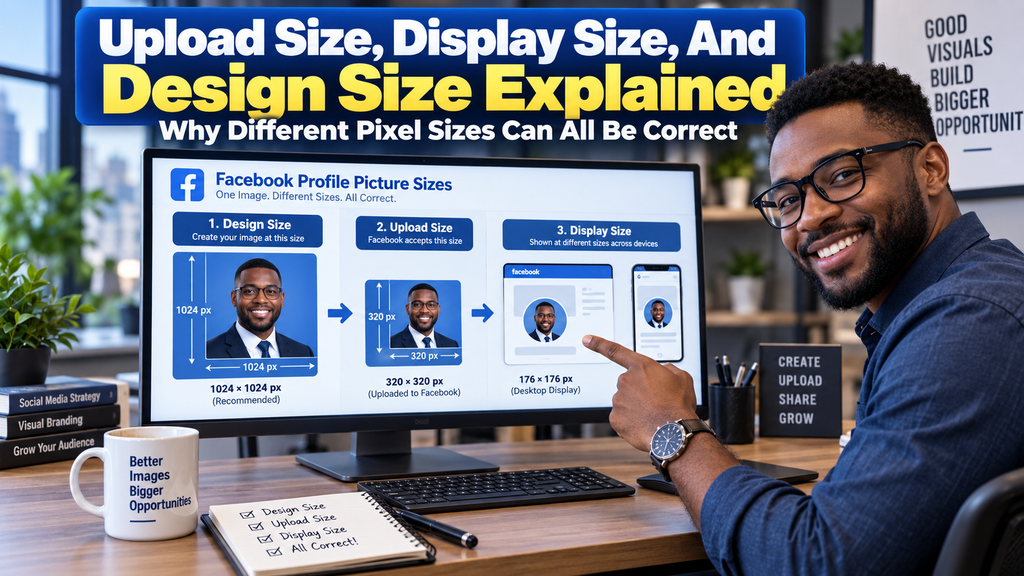
The biggest source of confusion is treating every pixel number as though it means the sa
me thing. Upload size is the file you give Facebook, display size is the smaller version Facebook renders, and design size is the canvas you use before export.
That distinction explains why 320 × 320 and 176 × 176 can both be correct. Hootsuite recommends a 320 × 320 upload while listing a 176 × 176 desktop display and a 196 × 196 smartphone display.
PostFast uses a different recommendation. Its April 27, 2026 update lists 360 × 360 pixels as its preferred upload, 180 × 180 as a minimum, 720 × 720 as a high-resolution option, and 2048 × 2048 as a stated maximum high-quality size.
SocialSizes recommends 720 × 720 pixels as its target. Its page also stresses that Facebook profile pictures appear as circles in most placements even though the source is square, so crop safety matters as much as raw resolution.
Must-know Tip: SocialSizes design engineer Peter Assentorp advises, “You should always upload in the biggest size you can.” In practice, use a reasonably high-resolution square source, but remember that extra pixels cannot rescue weak contrast, tiny text, or a poor crop.
How To Design For Facebook’s Circular Crop

Facebook profile pictures are prepared as squares but shown as circles in most placements. That makes the four corners unsafe, and anything important near those corners can disappear after Facebook applies the circular mask.
Keep your face, logo mark, or main object near the center and leave visible breathing room around it. Do not push eyes, hair, text, badges, or logo edges against the border because a square design can feel cramped once Facebook turns it into a circle.
Imagine a circle touching the middle of all four sides of your square. Keep essential details inside it, then shrink the image to thumbnail size and check recognition.
Safe-Zone Tips For Faces
Use a head-and-shoulders crop when recognition matters. Leave some space above the head, avoid pushing the face too far to one side, and make sure the eyes stay visible when the picture becomes a small circle.
Safe-Zone Tips For Business Logos
Use the simplest version of your logo when possible. Icon marks usually survive small display sizes better than long wordmarks, thin taglines, or detailed emblems, while strong contrast helps the mark work against both light and dark interface backgrounds.
Hootsuite recommends PNG for profile or cover images that contain logos or text. JPG remains practical for photographs, while PNG is usually safer for sharp edges, flat graphics, or transparent logo assets.
Why Facebook Profile Pictures Look Blurry
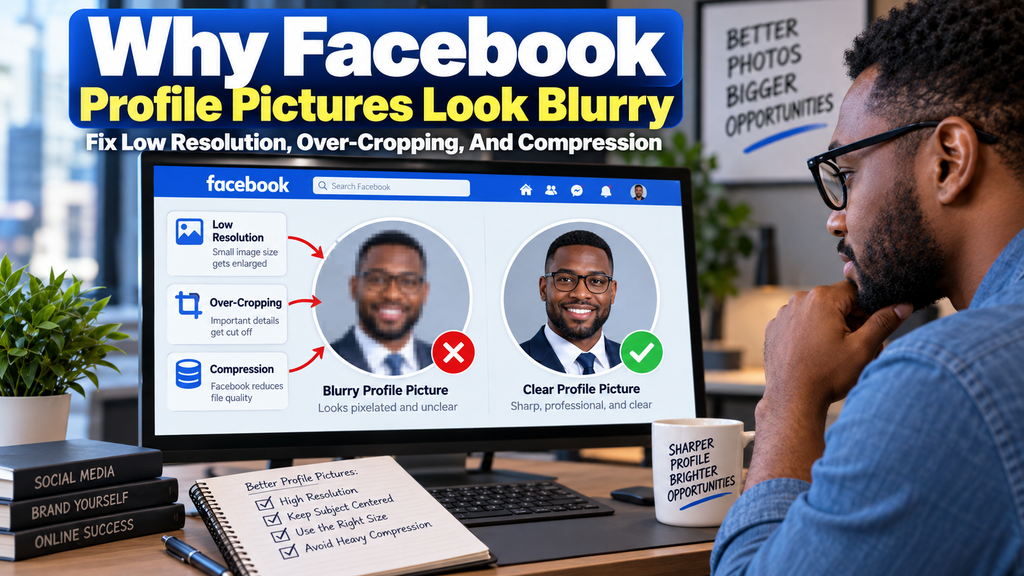
A profile picture can look blurry even when the dimensions seem correct. Common causes include an undersized source, previous compression, aggressive cropping from a small original, excessive fine detail, or text that becomes unreadable after Facebook scales the image down.
Start with a clean original rather than a screenshot or a photo that has already passed through several messaging apps. PostFast lists 180 × 180 pixels as a minimum but recommends 360 × 360, while SocialSizes recommends 720 × 720 to preserve more detail across different displays.
File format also matters. Hootsuite says JPG or PNG can help avoid compression or distortion and notes that logo or text images work especially well as PNG, while PostFast similarly recommends JPG for photos and PNG for logos or graphics with transparency needs.
Do not confuse DPI with pixel dimensions. A 720 × 720 image remains 720 × 720 pixels whether its metadata says 72 DPI or 300 DPI, so pixel count and source quality matter more for Facebook display than print-resolution metadata.
You should also avoid enlarging a tiny image and expecting real detail to appear. Upscaling can increase dimensions, but it cannot recreate facial texture, clean logo edges, or sharp text that was missing from the original.
Must-know Tip: Check the picture at both full size and thumbnail size before upload. If the eyes, logo, or main shape already looks soft in a small preview, Facebook’s resizing will make that weakness more obvious.
Best File Format, Resolution, And Upload Checklist
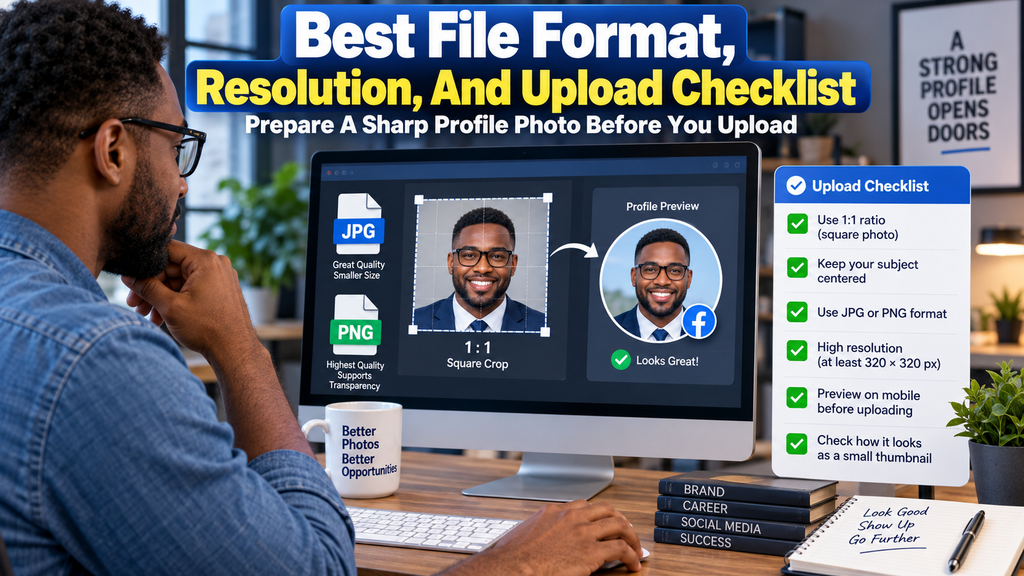
For a normal portrait, export a clean JPG at high quality and use a square crop. For a logo, illustration, or graphic with flat edges, choose PNG and keep the design simple, since profile pictures are often viewed at less than 200 pixels wide on screen.
Modern phones may give you HEIC files, while web tools may accept WebP. SimpleImageResizer can process JPEG, JPG, PNG, WEBP, HEIC, BMP, and GIF, so conversion can simplify your final upload.
On iPhone or Android, crop the image to 1:1 before upload and center the subject before saving. Avoid zooming too far into a low-resolution photo, and preview the square at a small size, since that is closer to how most people will see it.
For context, Hootsuite’s 2026 Facebook guide recommends 851 × 315 pixels for cover photos, 1080 × 1080 for square posts, 1080 × 1359 for vertical posts, and 1080 × 1920 for Stories. These figures show why one universal image size doesn’t fit every Facebook placement.
Before you upload, confirm that you:
- Use a square 1:1 image.
- Start at 320 × 320 pixels or larger.
- Consider 360 × 360 or 720 × 720 for extra source resolution.
- Keep the face or logo centered.
- Leave the corners free of essential content.
- Use JPG for photos and PNG for logos or text graphics.
- Avoid tiny text, thin strokes, and busy backgrounds.
- Preview the circular crop at thumbnail size.
- Check the result on desktop and mobile.
- Keep a higher-resolution master for future exports.
Different guides may recommend 1080 × 1080 or 720 × 720 because they define an ideal source differently. Prioritize a clean, centered square that survives Facebook’s crop and small display sizes.
Conclusion
Facebook profile picture size becomes simple once you separate upload dimensions, display dimensions, and high-resolution design sizes. In 2026, a square image at 320 × 320 pixels or larger is a sound current target, while 360 × 360 and 720 × 720 are useful higher-resolution recommendations found in specialist guides.
Keep the file at a 1:1 ratio, center the face or logo, and leave the corners free because Facebook presents the image as a circle in most locations. Choose JPG for photographs or PNG for logos and graphics, then preview the picture on desktop, mobile, and at thumbnail size before publishing.
The best result is not simply the file with the most pixels. It is the profile picture that stays sharp, balanced, recognizable, and readable after Facebook resizes it for the places where people actually see you.
Frequently Asked Questions
What Is The Best Facebook Profile Picture Size In 2026?
Use a 320 × 320 square or larger, with 360 × 360 and 720 × 720 offering extra source resolution. Keep important content centered.
Is 720 × 720 Good For A Facebook Profile Picture?
Yes. SocialSizes recommends 720 × 720 pixels, and PostFast also lists it as a high-resolution option.
Can I Upload 1080 × 1080 To Facebook?
Yes. SimpleImageResizer’s 2025 guide recommends 1080 × 1080, although Facebook still resizes the image for display.
Why Does Facebook Crop My Profile Picture Into A Circle?
Facebook shows the square source as a circle in most placements. Keep faces and logos away from the corners.
What Size Does Facebook Display A Profile Picture?
Hootsuite’s September 2026 guide lists about 176 × 176 pixels on desktop and 196 × 196 pixels on smartphones. Those display sizes are smaller than the recommended upload size.
What Is The Minimum Facebook Profile Picture Size?
PostFast lists 180 × 180 pixels as its minimum. A larger source is preferable for better quality.
Is JPG Or PNG Better For A Facebook Profile Picture?
Use JPG for ordinary photographs and PNG for logos, text, transparency, or graphics with hard edges. Both Hootsuite and PostFast support this practical split.
Why Is My Facebook Profile Picture Blurry?
Your source may be too small, compressed, or heavily cropped. Start with a clean square original and avoid repeated resaving.
How Do I Fit My Whole Photo Without Cropping Important Parts?
Place the photo inside a square canvas and add background space instead of cutting the subject. Keep the important area inside the circular safe zone.
Does DPI Matter For Facebook Profile Pictures?
Pixel dimensions matter more than print DPI metadata on Facebook. Focus on a sharp 1:1 source and a clean export.
Should A Business Use A Logo Or A Photo?
A recognizable logo usually suits a business page, while a clear face suits a personal profile. Keep either one simple enough for thumbnail size.
How Often Should I Check Facebook Profile Picture Dimensions?
Check specifications when you redesign your profile or notice a rendering change. Current guides were updated during 2026, so dimensions can change.

Comments
0 responsesNo comments yet. Be the first to share your thoughts.