


Opens in a new tab. Your article title and link are shared only with the AI assistant you choose.
A headshot background can change how people read your portrait before they notice your job title, your experience, or your qualifications. A cluttered office distracts, while a plain wall gives an ordinary phone photo more polish. Your goal is to make your face easy to see, your expression easy to read, and your image appropriate for the work you do.
That choice matters online, where your photograph appears very small. LinkedIn reported 1.2 billion members in July 2025, so clarity and recognition matter more than decorative details. You will learn how to choose the right setting, photograph it with equipment you already own, and edit it while staying authentic.
How to Choose the Right Headshot Background for Your Purpose

Start with where the photograph will appear, not with a favorite color. A lawyer’s firm biography, a designer’s portfolio, and an employee directory call for different levels of formality. Choose a setting that supports your real role and workplace.
For LinkedIn, a simple background generally survives small circular cropping better than a busy scene. A premium profile picture maker offers background removal, photo enhancements, and AI-generated professional portraits when an existing image needs improvement. Review the resulting face, edges, and lighting carefully before publishing it.
LinkedIn’s 2024 photography guide said profiles with photos were 14 times more likely to be viewed. That figure says nothing about which background performs best. In Ringover’s June 2024 survey of 1,087 recruiters, 74.4% favored interviewing candidates with headshots, although preferences do not prove hiring outcomes.
A practical selection process starts by answering four questions:
· Does your employer require a specific color or crop?
· Will the portrait appear on LinkedIn, a website, or in print?
· Does your clothing separate clearly from the backdrop?
· Can you recreate the background when your photo needs updating?
Preview your portrait in its intended layout. An elegant backdrop may look muddy in a small avatar. Prioritize clear facial contrast, natural colors, and professional accuracy.
Must-know Tip: A background should make your face more noticeable, not make the picture more complicated. Photographer Will Wohler advises that “the background is not distracting or takes away from your face.” If someone notices the office furniture before your expression, simplify the setting.
Best Headshot Background Colors and What They Communicate

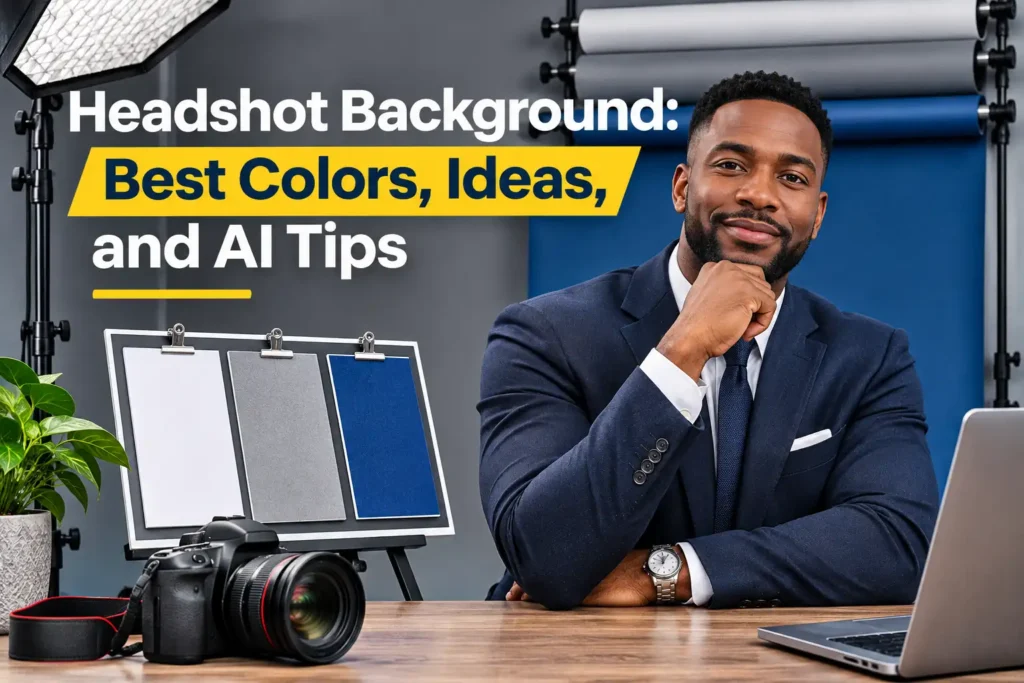
White creates a bright, clean look that works particularly well for directories and team pages. Light gray feels slightly softer and often preserves more visible separation around light clothing or hair. Dark gray and navy can look formal, but they need enough illumination to distinguish a dark jacket from the backdrop.
Blue offers a familiar corporate look without requiring a black or charcoal scene. Warm beige and muted earth tones can feel approachable for coaches, authors, and independent professionals. Bold colors express creativity but can cast unwanted tints on skin.
Match the Color to Your Appearance and Clothing
Avoid rigid rules that assign background colors to particular skin tones. Instead, inspect whether your face, hair, collar, and shoulders remain distinct at normal viewing size. Medium gray can work for many people with appropriate lighting.
A navy jacket against a navy backdrop can disappear at the shoulders, while a white shirt against pure white may lose its outline. Add separation with lighting, choose a lighter or darker shade, or reposition yourself farther from the wall. Check the image in grayscale to spot weak contrast.
In Ringover’s 2024 recruiter survey, 67.5% reported being put off by a bad headshot, but the study did not isolate background color as the cause. The result cannot establish which backdrop people preferred. Focus, expression, and lighting matter too.
Must-know Tip: City Headshots writes, “There is no best color because it depends on what you’re using the shot for and what industry you’re in.” Compare three backgrounds using the same photograph. That keeps your comparison fair.
Headshot Background Ideas for Different Jobs and Locations

A professional headshot background should communicate context without turning into a miniature advertisement. Finance professionals and executives often favor neutral studio colors, while educators, therapists, and creatives may prefer softer tones or a gently blurred setting. Follow your organization’s existing photo style before industry stereotypes.
Studio, Office, and Outdoor Options
A studio backdrop controls color, shadows, and consistency. An office environment adds useful context when the furniture and signage remain secondary to your face. A shaded outdoor wall can feel relaxed without visual clutter.
Consider these practical headshot background ideas:
· Light gray for employee directories and varied wardrobe colors.
· Deep blue for formal portraits with careful shoulder separation.
· A softly blurred office for consultants and founders.
· A quiet outdoor location for creative or community-facing roles.
· A subtle gradient for editorial or speaker biography images.
For remote teams, standardize backdrop color, crop, camera height, and light. Save a reference portrait so new employees can match the look. If offices cannot match physical backdrops, consistent digital replacement is an option, provided the edits look natural.
Picture a hypothetical consulting firm with staff photographed in five cities: some portraits show plants, others show windows, and several use gray walls. The manager specifies light gray and a chest-up crop for every office. The directory now looks coherent without identical cameras.
You can apply the same principle to one-person brands. Keep a clean, neutral version for formal bios and a more environmental portrait for interviews or speaking engagements. You gain flexibility without changing the way your face actually looks.
How to Create a Headshot Background at Home

A phone, clean wall, and daylight can produce a good headshot. Choose a quiet room with a neutral background, then stand a few feet away from the wall to reduce hard shadows. Face a window at an angle and avoid mixed lighting.
Do not stand directly beneath a bright overhead fixture if it casts deep shadows under your eyes. Keep the camera at eye level and regularly clean its lens. Use a tripod or timer instead of a stretched arm.
Make Background Blur Look Natural
A camera with a wider aperture can soften the background when you maintain enough distance behind the subject. Supported iPhones offer Portrait mode and adjustable background blur. Excess blur can cut through hair, glasses, and shoulders.
For LinkedIn, the current upload guidance accepts JPG or PNG profile photographs, with a maximum file size of 8 MB. The minimum is 400 by 400 pixels, and circular cropping removes corners. Leave space around your head and preview the small crop.
Must-know Tip: Before buying a backdrop, test an uncluttered wall at three different distances and compare the shadows. LinkedIn’s August 2024 photography guide estimated professional headshot sessions at roughly $200 to $400, but local quotes and editing inclusions vary. Your first improvement should be better light, not more equipment.
For a stained wall, use tightly stretched fabric or another room, keeping visible folds and distracting patterns out of the frame. White foam board opposite the window can soften shadows. Keep your pose consistent when comparing backgrounds.
Using an AI Headshot Background Changer Without Losing Authenticity

AI can replace distracting scenery behind a well-lit face. Start with a sharp, recognizable photo, remove the existing background, and choose a replacement with believable perspective and lighting. A headshot background changer should alter surroundings, not your identity.
There is growing interest in this approach, but the evidence needs context. A 2025 U.S. survey reported by Tech.co found that 44% of respondents would consider AI-generated headshots. Adobe found in October 2025 that 86% of 16,000 surveyed creators used generative AI, but not necessarily for headshots.
Ringover’s small-image comparison study from 2024 found that AI portraits received 76.5% of recruiters’ preferences across its tested examples. Yet 66% said they would be put off if they recognized an AI-generated candidate photo, and 88% believed AI use should be disclosed. Only five subjects appeared in those comparisons, so the results cannot establish better hiring outcomes.
Inspect these common problems before saving an edited headshot:
· Bright halos or missing strands around hair.
· Glasses, earrings, or collars with distorted edges.
· Background shadows that disagree with facial lighting.
· Offices or landmarks that imply a false workplace.
HeadShots Inc lists certain digital backgrounds at $35 per photo. Compare that fee with your own time, the quality of the original image, and any extra retouching or usage charges. A cheaper result is not worthwhile if the finished portrait misrepresents you.
Must-know Tip: Keep an untouched original before making changes. Compare the edit at profile size and reject altered facial features. Clients and employers should recognize you in person.
Conclusion:
A headshot background succeeds when it helps people recognize you, understand your professional context, and focus on your expression. You do not need a dramatic skyline, expensive backdrop, or artificially perfect office to achieve that result. In most situations, a well-lit gray, white, or softly blurred setting will do more for your portrait than elaborate scenery.
Start by deciding where the photograph will appear and whether an employer has specific requirements. Then compare background colors against your clothes and hair, photograph yourself in soft light, and examine the crop on a small screen. If you use digital replacement, preserve natural shadows and the features that make you recognizable.
Choose the image that suits your real work, not just a large screen. Review it again when your appearance, role, or branding changes. The questions below cover practical decisions before you publish.
Frequently Asked Questions About Headshot Backgrounds
What is the best headshot background?
Gray is versatile. White looks clean. Match the setting to your purpose.
Is white or gray better for headshots?
White feels brighter. Gray adds separation. Compare both with your clothing.
Can I use a black background for LinkedIn?
Yes, with good lighting. Keep shoulders visible. Avoid black-on-black clothing.
Should my headshot background be blurred?
Moderate blur helps. Excess blur looks artificial. Keep your eyes sharp.
Which background suits corporate teams?
Choose a repeatable neutral color. Standardize crops. Match lighting too.
Can I take a professional headshot at home?
Yes, use window light. Choose a clean wall. Hold the camera steady.
Can AI replace a messy background?
Yes, with careful editing. Inspect hair edges. Preserve your actual appearance.
Do employers accept AI headshots?
Employer policies vary. Keep your likeness accurate. Disclose AI use when required.
Which file format should I use for LinkedIn?
JPG and PNG are supported. Respect upload limits. Preview the circular crop.
How often should I change my headshot?
Update it when your appearance changes. Check your employer’s rules. Stay recognizable.


Comments
0 responsesNo comments yet. Be the first to share your thoughts.